PowerPoint
The best way to create slides with AI.
Ask for a deck and UltraOffice builds it in its own workspace, on-brand, with native charts and the final-mile details done. Native, editable output that follows your fonts, colors, and layouts, so you stop cleaning up by hand.
 Project Alpine/Board deck
Turn this PDF into our branded board deck.
On it. Building your deck.
Convert PDF to PowerPointDoneDraw the location mapDoneAdd Harvey ballsDoneFetch company logosDoneBuild native chartsDoneHere's your deck. 20 slides, on-brand, charts native, saved to the project as v2.
Write a message…
PowerPoint skills
PowerPoint charts
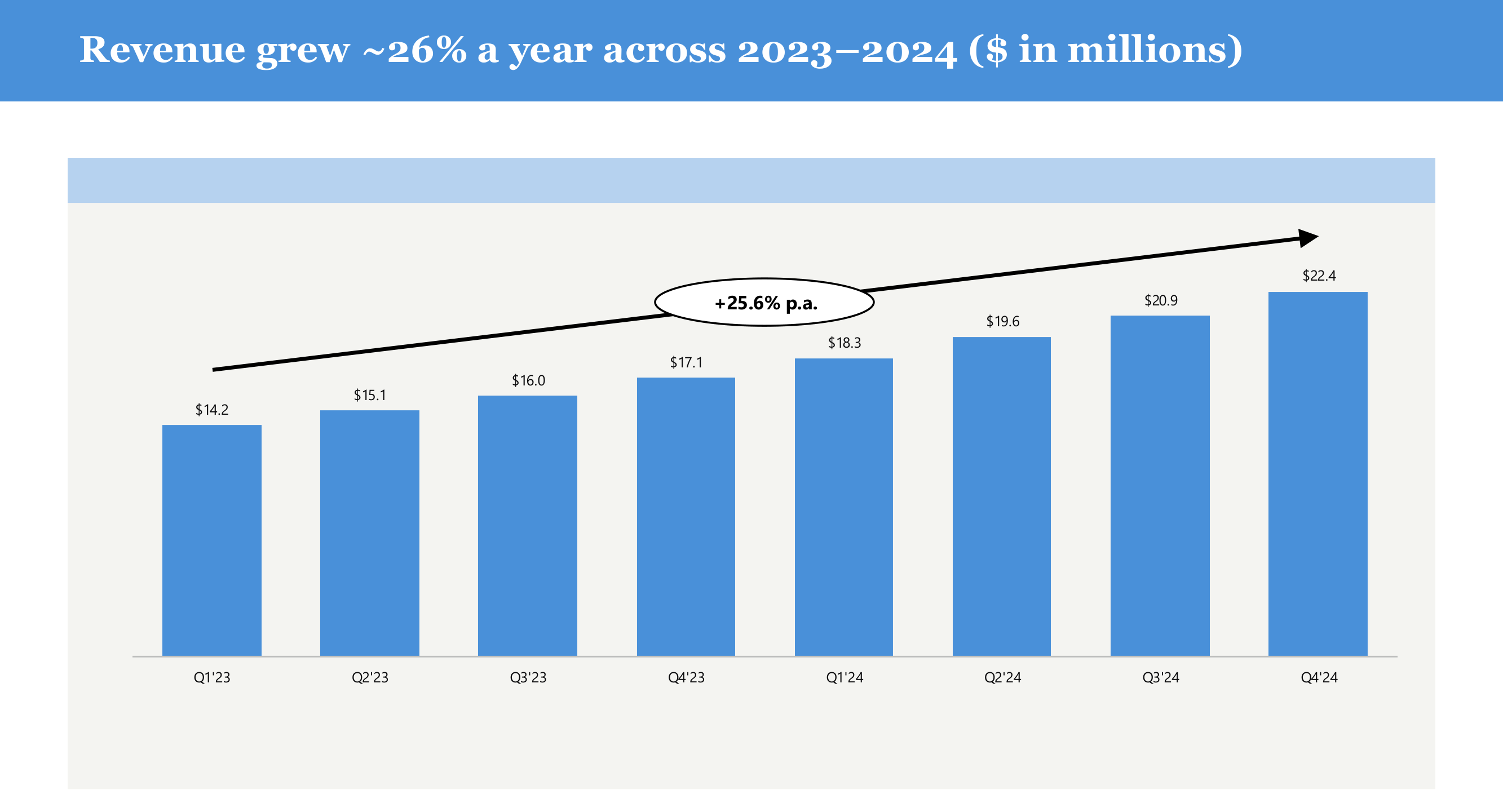
Create native, editable PowerPoint charts in your deck brand, the same chart engine as Excel, output to a slide.
PowerPoint tables
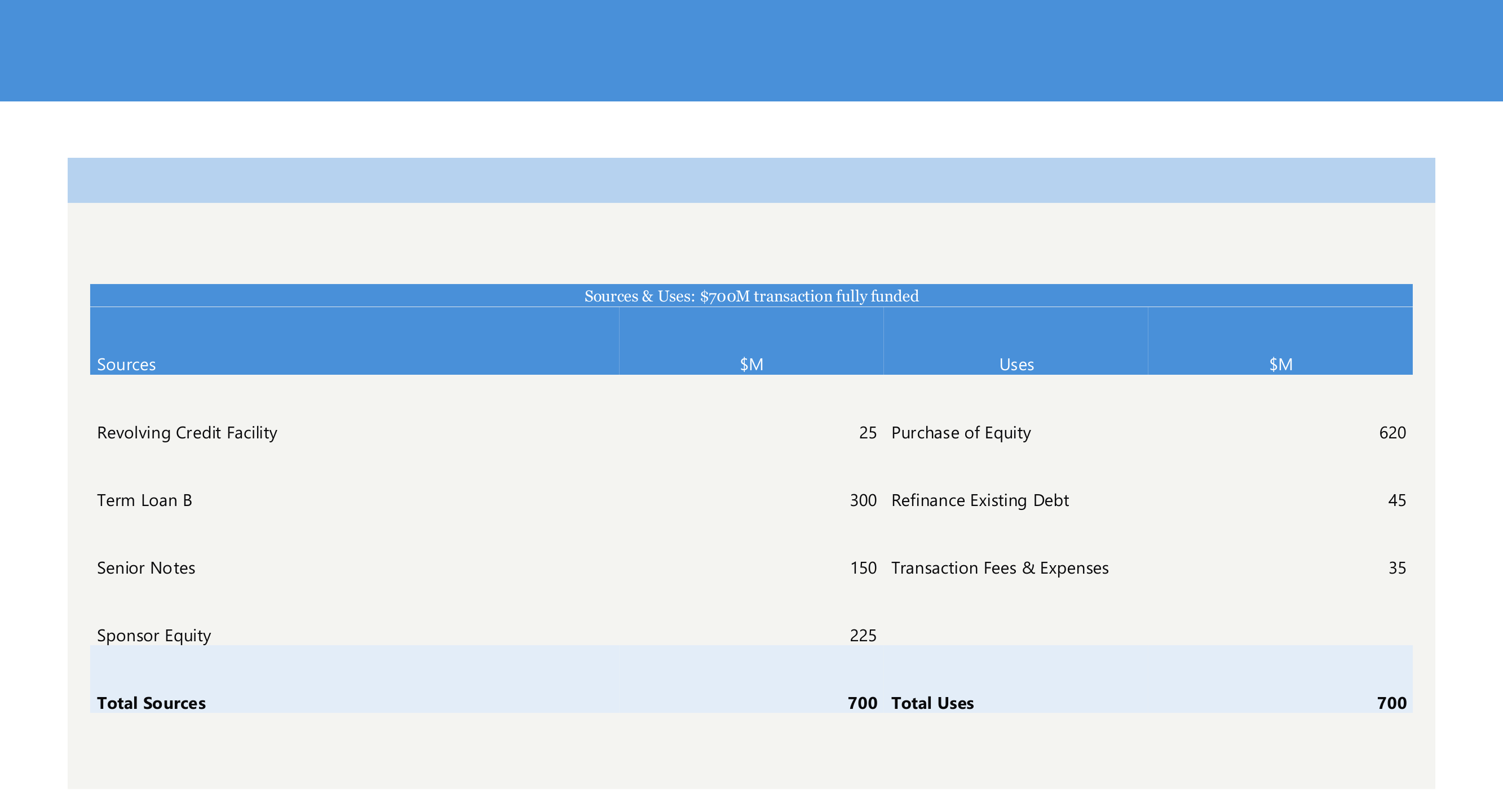
Drop a styled native table onto a slide: navy header, total bands, and an optional banner, all on brand.
Brand reformat
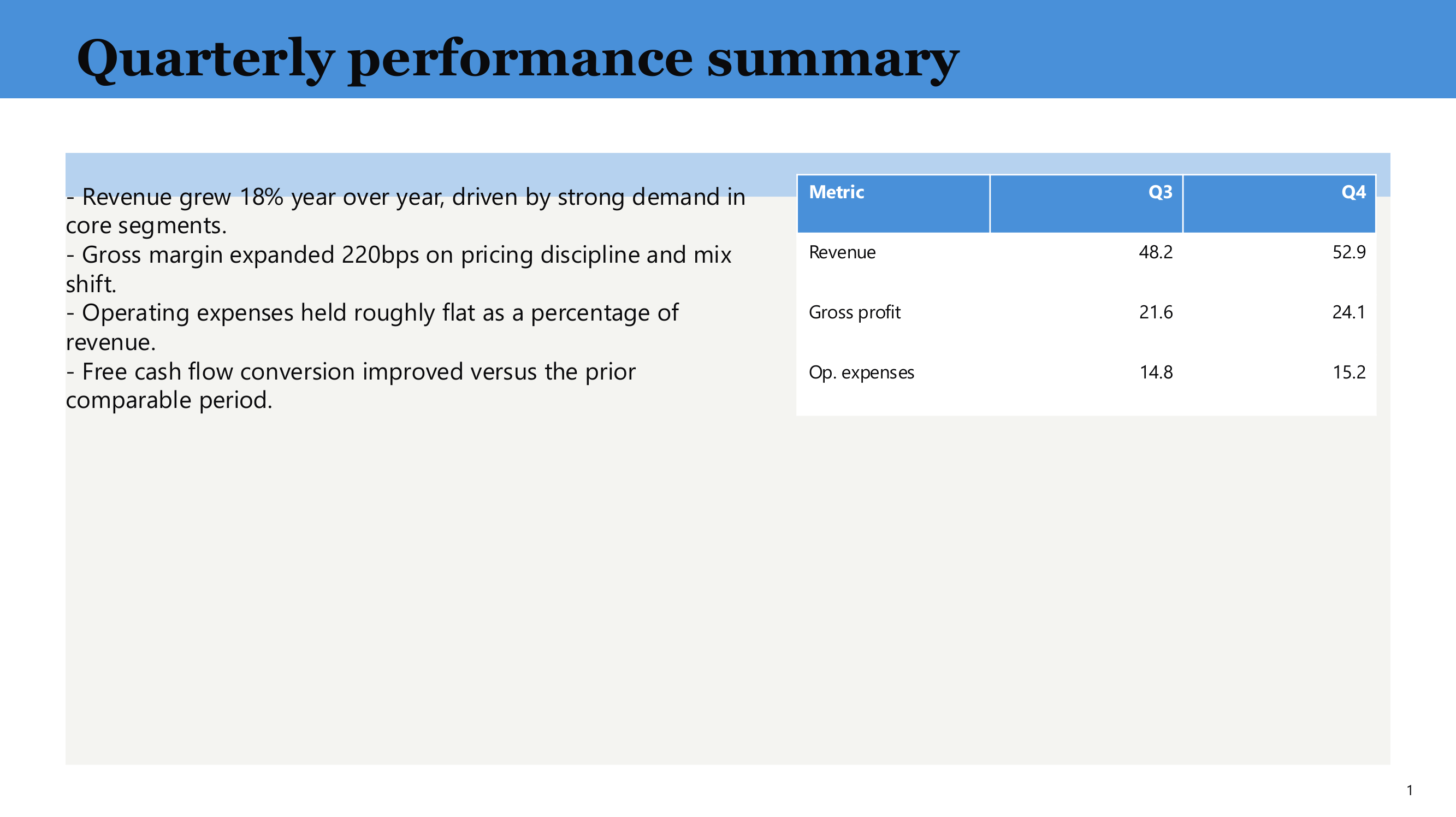
Reformat any slide into your deck brand: fonts, colors, titles, labels, banners, and tables in one pass.
Add logos
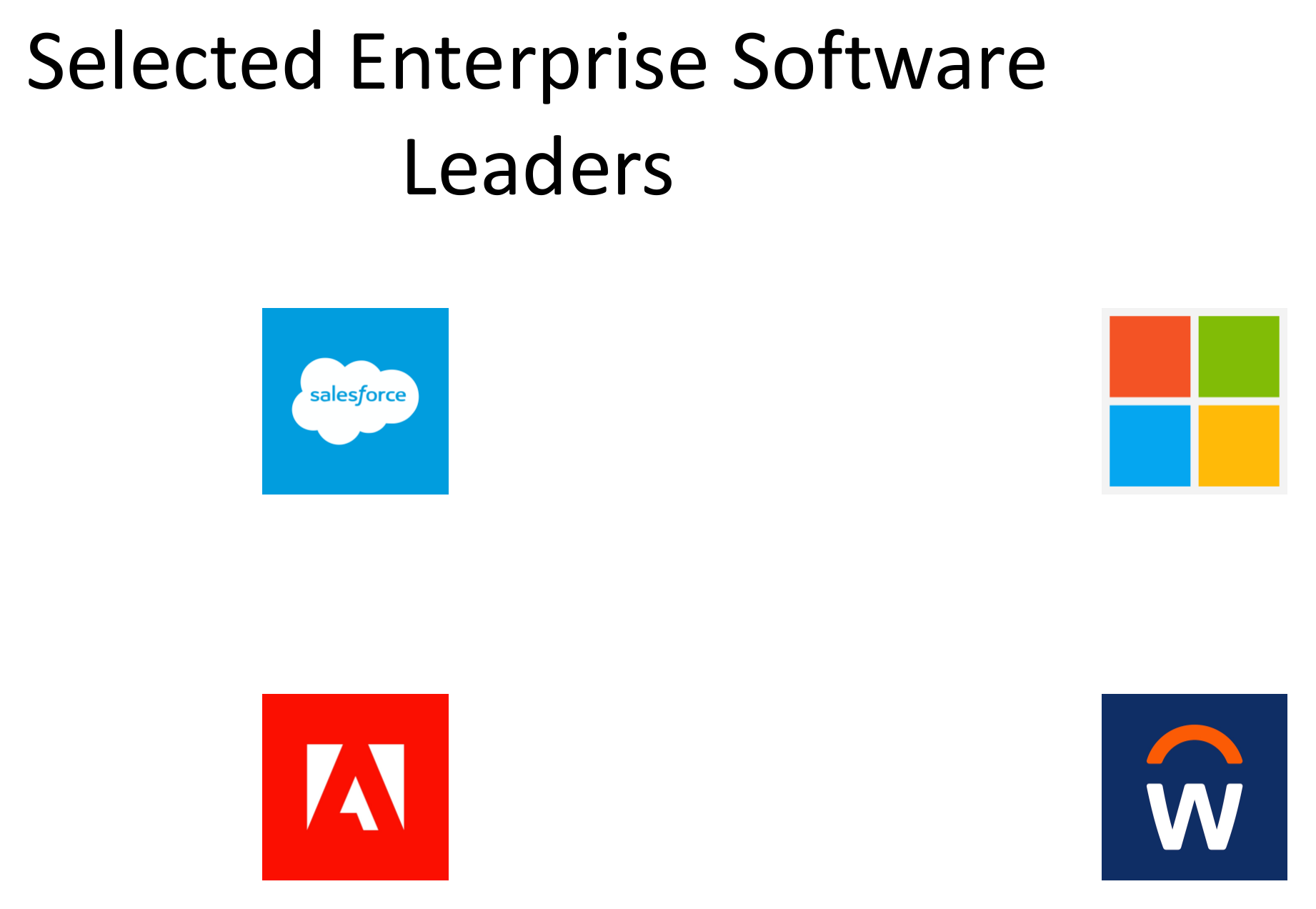
Fetch real company logos through the connector and place them cleanly on a slide.
Ready to see it on your work?
Try UltraOffice free, or book a 30-minute demo with your own documents.